

Enhance Creativity Using Social Media Post Templates
In today's digital era, creativity is a catalyst for achieving success in various personal and professional endeavors. But how can one harness creativity more effectively using digital tools? Social media post templates offer a practical solution. These templates, along with AI-driven tools like AI image prompts and AI video prompts, allow users to elevate the creativity and engagement of their online content effortlessly.Table of ContentsTable of ContentsWhy Social Media Post Templates?The Power of AI Image and Video PromptsDesigning with Canva TemplatesPractical Tips:Mastering Short-Form Video EditingTips for Success:FAQsConclusionSocial media post templates not only save time but also ensure consistency in branding and display. In this post, we'll explore how to enhance your creativity using these templates. From design tips using Canva templates to mastering the art of short-form video editing, you'll learn practical steps to increase your online presence and creativity.Why Social Media Post Templates?Social media platforms are saturated with content, making it crucial to craft posts that stand out. Here’s where social media post templates come into play. They provide a foundational structure that helps maintain visual coherence while allowing customization to fit specific needs.Fileflora Recommendation: Editable Canva Templates – Design Resource Access Pack from Fileflora offers versatile design templates perfect for various social media needs.The Power of AI Image and Video PromptsAI Image Prompts: These are pre-defined prompts that inspire digital artwork or photography. For designers and creators, AI image prompts can be particularly beneficial in sparking fresh ideas and direction in artistic projects.For more details on optimizing AI image prompts, check out Maximize Impact with Specific AI Image Prompts. Additionally, you can explore Fileflora’s 25,000 AI Image Prompts Bundle – Midjourney & AI Art PDFs.AI Video Prompts: AI-driven video prompts can guide content creation in video projects, providing creative scenes or thematic ideas for more engaging video content. Refer to Fileflora’s guide on Step-by-Step Guide to Utilizing AI Video Prompts for deeper insights.Designing with Canva TemplatesCanva templates simplify the design process, especially for those who might not have extensive graphic design experience. With drag-and-drop ease, users can adapt templates to align with their content and branding requirements.Practical Tips:Consistency is Key: Establish a consistent color scheme and typography across all platforms to maintain brand recognition.Utilize White Space: Proper use of white space improves readability and balance in your designs.Customize Elements: Use your brand’s images and logos to personalize the template further.Fileflora Recommendation: Explore the Digital Products Mega Bundle – Canva Templates & Planners to get a head start.Mastering Short-Form Video EditingVideo content is rapidly becoming a staple of digital marketing. With tools that cater to short-form video editing, creators can produce compelling and dynamic content efficiently.Tips for Success:Focus on Storytelling: Engage your audience with a compelling narrative, even if it’s in short form.Optimize for Mobile: Most users watch videos on mobile devices; keep this in mind when framing shots.Use Dynamic Editing Techniques: Quick cuts, transitions, and animations can hold viewers' attention.Reference Fileflora’s article on Short-Form Video Editing Tips for Engaging Content for further information.Fileflora Recommendation: Consider incorporating Motivational Text Animation Reels – MP4 Video Bundle to add a professional touch to your videos.FAQs1. What are AI image prompts?AI image prompts are pre-defined keywords or phrases used to spark creative ideas for artworks, graphics, or photos. They inspire artists to explore new themes and aesthetics.2. Can I use Canva templates if I'm not a designer?Absolutely! Canva's user-friendly interface is designed for everyone, regardless of design experience, allowing easy customization of templates.3. How can short-form video enhance my social media presence?Short-form videos are engaging and perfectly suited for mobile viewing, making them ideal for capturing audience attention quickly on social media platforms. 4. What is the benefit of using pre-made social media post templates?Pre-made templates save time, improve consistency, and ensure branding coherence across various platforms, allowing you to focus more on creative customizations.ConclusionEnhancing your creativity using social media post templates and AI-driven tools is easier than ever. With resources like AI image prompts, Canva templates, and short-form video editing tips, you can produce innovative and captivating content that stands out in the crowded digital landscape. Whether you're a seasoned digital marketer or just beginning your brand's social media journey, embracing these tools can exponentially elevate your creative outputs.For more inspiring solutions, visit Fileflora.com and explore the wide range of digital products designed to boost your online presence. Using these resources, you can ensure your content remains both aesthetically pleasing and highly engaging.

Step-by-Step Guide to Utilizing AI Video Prompts
In the rapidly evolving landscape of digital content creation, AI video prompts are becoming an invaluable asset for creators looking to streamline their processes and maximize creativity. But what exactly are AI video prompts, and how can they transform your approach to content creation? This article dives deep into the world of AI video prompts, guiding you through practical steps, real-world applications, and offering insights into how Fileflora's resources can help you elevate your projects.Table of ContentsTable of ContentsUnderstanding AI Video PromptsGetting Started with AI Video PromptsStep 1: Define Your Content GoalsStep 2: Choose the Right ToolsStep 3: Utilize Canva TemplatesImplementing AI Video Prompts in Short-Form Video EditingStep 1: Streamline Script CreationStep 2: Enhance Visual StorytellingStep 3: Edit with EaseReal-World Applications and LimitationsApplicationsLimitationsHelpful Frequent Questions (FAQs)ConclusionFAQsUnderstanding AI Video PromptsAI video prompts are automated suggestions or scripts generated by artificial intelligence algorithms to assist creators in video content development. These prompts help streamline the brainstorming process, offer inspiration, automate routine tasks, and ensure consistent quality across various types and styles of videos. Whether you're a seasoned video editor or a novice content creator, AI video prompts can provide the structure and creativity needed to produce engaging content efficiently.Getting Started with AI Video PromptsStep 1: Define Your Content GoalsBefore diving into creating videos with AI video prompts, it's crucial to clearly define your content goals. Ask yourself the following:What message do I want to convey?Who is my target audience?What style or type of video am I aiming for (educational, entertaining, informative)?Having a clear vision helps in selecting the right AI video prompts that align with your objectives.Step 2: Choose the Right ToolsOnce your goals are clear, select tools and resources that fit your needs. Fileflora offers a Satisfying Reels – Short Video Clip Collection, perfect for sourcing high-quality short video clips that can be used in your projects. For those looking to incorporate stunning visuals, the 25,000 AI Image Prompts Bundle – Midjourney & AI Art PDFs is an excellent resource.Step 3: Utilize Canva TemplatesUtilizing templates can greatly enhance your video’s aesthetic and streamline the editing process. Fileflora's Editable Canva Templates – Design Resource Access Pack offers a variety of customizable templates. These templates can provide the visual elements needed to make your video more appealing and professionally polished.For more on how to make the most of Canva templates, check out Fileflora's guide on Achieve Results with User-Friendly Canva Templates.Implementing AI Video Prompts in Short-Form Video EditingShort-form videos are an essential component of any modern content strategy, especially on platforms like Instagram and TikTok. Here's how AI video prompts can transform your short-form video editing process:Step 1: Streamline Script CreationAI video prompts can help you quickly generate engaging scripts that captivate your audience. By automating the script writing process, you can focus more on filming and editing, thus optimizing your workflow.Step 2: Enhance Visual StorytellingBy combining AI image prompts with video prompts, you can craft a narrative that is both visually stunning and contextually relevant. The 25,000 AI Image Prompts Bundle is an excellent tool for sourcing imagery that complements your video's storyline.Step 3: Edit with EaseWith AI-generated scripts and visuals, the editing process becomes significantly smoother. For tips on improving your editing skills, visit Fileflora's Short-Form Video Editing Tips for Engaging Content.Real-World Applications and LimitationsApplicationsMarketing Videos: Use AI video prompts to draft marketing video outlines quickly and efficiently.Educational Content: Automate the creation of educational video series with consistent and engaging content.Social Media Posts: Generate engaging social media content using AI-driven prompts to maintain quality and style across platforms.LimitationsDespite their benefits, relying solely on AI video prompts may limit creative flexibility. The nuances of human creativity, emotional expressions, and spontaneous ideas are areas where AI tools may fall short. Therefore, it's essential to balance AI assistance with personal input to achieve optimal results.Helpful Frequent Questions (FAQs)1. What platforms are best suited for AI video prompts?AI video prompts can be implemented on most video editing platforms that support integration with AI tools. Popular platforms include Adobe Premiere Pro, Final Cut Pro, and online tools like Canva.2. Can AI video prompts work for live-action videos?Yes, AI video prompts can structure outlines and scripts for live-action videos. They help define the core message and sequence, providing a robust framework for filming.3. Are AI video prompts cost-effective for small creators?Absolutely. AI video prompts automate a significant part of the creative process, reducing time and resource expenditure, making them incredibly cost-effective even for small creators.4. How do I integrate AI-generated prompts with existing content?You can leverage AI video prompts to add layers of complexity and depth to existing content, enhancing its value and coherence while ensuring consistency.ConclusionAI video prompts are revolutionizing how we approach video content creation. By providing structured creativity, they enable creators to elevate their work efficiently. Fileflora offers excellent resources like the Digital Products Mega Bundle – Canva Templates & Planners to assist at every step of the creative process. Embrace the power of AI video prompts to create compelling content that stands out in the crowded digital space.Explore more resources and exclusive bundles by visiting Fileflora.com.FAQsWhat are AI video prompts?AI video prompts are suggestions or starting points generated by artificial intelligence that help users create videos more efficiently. These prompts can include ideas for content, themes, or specific scenes that can inspire video projects.How can I access AI video prompts?You can access AI video prompts through various platforms and tools that specialize in video creation and editing. Many of these tools offer features that generate prompts based on your input or predefined categories.What types of videos can I create using AI video prompts?AI video prompts can be used to create a wide range of videos, including tutorials, promotional content, vlogs, educational videos, and more. The versatility of AI prompts allows for creativity across different genres.Do I need any special skills to use AI video prompts?No special skills are required to use AI video prompts. The tools are designed to be user-friendly and guide users through the video creation process, making it accessible for beginners and experienced creators alike.Can AI video prompts improve the quality of my videos?Yes, utilizing AI video prompts can enhance the quality of your videos by providing fresh ideas, structure, and creative direction. They can help streamline the brainstorming process and ensure that your content is engaging and relevant.Are AI video prompts customizable?Many platforms that offer AI video prompts allow for customization, enabling users to tailor the suggestions to fit their unique style, niche, or audience. This flexibility helps create videos that resonate more effectively with viewers.How do I implement an AI video prompt into my project?To implement an AI video prompt, start by selecting a prompt that aligns with your vision. Then, plan your content around the prompt, incorporating necessary elements like scriptwriting, shooting, and editing as needed.Can I use AI video prompts for live streaming?Yes, AI video prompts can be beneficial for live streaming as well. They can provide topic ideas and help structure your broadcast, ensuring you maintain an engaging flow throughout your live session.What are the benefits of using AI video prompts over traditional brainstorming methods?Using AI video prompts can save time and reduce creative blocks compared to traditional brainstorming methods. AI can generate a large variety of ideas quickly, helping you focus on execution rather than idea generation.

Maximize Impact with Specific AI Image Prompts
In today's rapidly evolving digital landscape, maximizing the impact of your content is crucial for staying ahead of the competition. One breakthrough approach to enhancing your digital assets is through the use of specific AI image prompts. But what are AI image prompts, and how can they revolutionize your creative process?Table of ContentsTable of ContentsUnderstanding AI Image PromptsThe Role of AI in Short-Form Video EditingActionable Steps for Integrating AI Image PromptsOptimizing Social Media Post Templates with AIReal-World Applications and ConsiderationsExploring AI Video Prompts for BusinessesFAQs on AI Image Prompts1. What are the technical requirements for AI image prompts?2. Can AI image prompts completely replace human designers?3. How do AI image prompts differ from traditional graphic design software?4. Are there any limitations to using AI image prompts?Conclusion: A Strategic Use of AI Image Prompts with FilefloraFAQsAI image prompts are algorithm-driven suggestions that guide you in generating stunning visuals tailored to your brand's needs. These prompts can be a game changer, especially for short-form video editing, crafting Canva templates, and designing social media post templates. This blog will provide actionable insights into leveraging AI image prompts to enhance your content's visual appeal and effectiveness.Understanding AI Image PromptsAI image prompts utilize artificial intelligence to suggest precise visuals based on specified criteria. These can include texture, color scheme, elements present in the image, and more. By setting these parameters, users can generate images that align perfectly with their brand or project goals. This technology serves various purposes, from producing compelling graphics for short-form video editing to creating engaging social media post designs.The Role of AI in Short-Form Video EditingShort-form video content is immensely popular on platforms like Instagram Reels and TikTok. AI image prompts can assist in streamlining the video editing process by suggesting optimal visual components that align with your video's tone and message. For more insights on creating engaging short-form videos, see our guide on Short-Form Video Editing Tips for Engaging Content.Actionable Steps for Integrating AI Image PromptsDefine Your Visual Goals: Start by determining the purpose of your content and the emotions you want to evoke in your audience.Choose the Right AI Tool: Utilize AI-driven platforms that offer image prompting functionalities, such as automated video software tools.Input Specific Criteria: Enter detailed prompts regarding color palettes, themes, and styles to ensure the generated visuals meet your standards.Fine-Tune with Templates: Use Editable Canva Templates from Fileflora to adjust the AI-generated images and achieve professional-quality results.Optimizing Social Media Post Templates with AIDesigning effective social media posts requires a keen eye for aesthetics. AI image prompts can facilitate this by providing innovative design ideas, ensuring your posts stand out. By clarifying your brand's visual identity and establishing clear parameters, AI tools can generate distinctive, high-impact images aligned with your social media strategy.Real-World Applications and ConsiderationsBrand Consistency: Maintain a cohesive look across all social media platforms by utilizing similar AI image prompts tailored to each's unique requirements.Audience Engagement: Craft posts that resonate with your target demographic by emphasizing colors and styles that have historically driven engagement.For detailed strategies on utilizing Canva for impactful social media templates, explore our guide on Achieve Results with User-Friendly Canva Templates.Exploring AI Video Prompts for BusinessesSmall businesses can capitalize on AI video prompts to strategically enhance their video marketing. By harnessing these intelligent prompts, businesses can generate visually appealing and business-aligned video content without extensive graphic design expertise. Discover how small enterprises can benefit from AI by visiting our article on Explore Trending AI Video Prompts for Small Businesses.FAQs on AI Image Prompts1. What are the technical requirements for AI image prompts?Most AI tools require a stable internet connection and a device capable of running software applications. Some platforms may have specific compatibility requirements depending on their design systems.2. Can AI image prompts completely replace human designers?While AI can significantly enhance the design process, human creativity remains indispensable for nuanced and complex design elements that require originality and emotive flair.3. How do AI image prompts differ from traditional graphic design software?AI image prompts utilize machine learning algorithms to generate design suggestions, whereas traditional software relies on the user's manual input for each element of the design.4. Are there any limitations to using AI image prompts?Yes, AI-generated content can sometimes lack the subtlety and nuanced understanding of human designers and may require adjustments to ensure the final product meets detailed brand guidelines.Conclusion: A Strategic Use of AI Image Prompts with FilefloraAI image prompts represent a powerful tool in the modern designer's toolkit, offering innovative ways to produce high-quality visuals efficiently. Whether you're enhancing short-form video content or crafting dynamic social media posts, these prompts can help streamline your creative workflow.For those ready to integrate AI-driven solutions into their projects, the capabilities of AI can be further explored with our Stickman Animation Reels – Video Content Bundle which complements AI applications in video editing.For more resources and advice, visit Fileflora.By embracing new technologies, creatives can elevate their work, ensuring that it not only captures attention but also leads to meaningful engagement and brand progression.FAQsWhat are AI image prompts?AI image prompts are specific textual instructions or descriptions provided to an artificial intelligence model to generate images. These prompts guide the AI in creating visuals by defining elements such as style, content, and composition.How can specific prompts improve image quality?Specific prompts give the AI clear direction on what to create, resulting in more relevant and detailed images. When prompts are detailed and focused, the AI can better understand the desired outcome, leading to higher-quality results.What types of details should I include in my image prompts?Including specific details like colors, styles (e.g., realistic, abstract), emotions, and particular objects or scenarios helps the AI generate images that closely match your vision. The more precise you are, the better the final image will reflect your intent.Can I use metaphorical or abstract prompts for AI-generated images?Yes, metaphorical and abstract prompts can produce unique and thought-provoking images. While it may require experimentation to achieve the desired results, creative prompts can inspire the AI to generate innovative visuals.How do I know if my prompt is effective?You can test the effectiveness of your prompts by generating images and evaluating how closely they match your expectations. If the AI consistently produces images that align with your vision, then your prompts are likely effective.Is there a limit to how long my prompts can be?While there is no strict limit, it's best to keep prompts concise yet detailed. Long, complex prompts may confuse the AI, while overly brief prompts can lack the necessary information for accurate image generation.Can I use prompts for creating images in different artistic styles?Absolutely! Including specific artistic styles in your prompts, such as "impressionist," "surreal," or "minimalist," can help the AI produce images that fit the desired aesthetic. Be sure to specify any other elements you want included.What are some tips for brainstorming effective prompts?Start by identifying the core concept you want to convey, then list relevant keywords, styles, and emotions. Experimentation is key, so try combinations of these elements to see how they influence the generated images.Are there common mistakes to avoid when creating prompts?One common mistake is being too vague, which can lead to irrelevant images. Additionally, overloading prompts with too many ideas can confuse the AI. Aim for a balance between specificity and succinctness for the best results.
Short-Form Video Editing Tips for Engaging Content
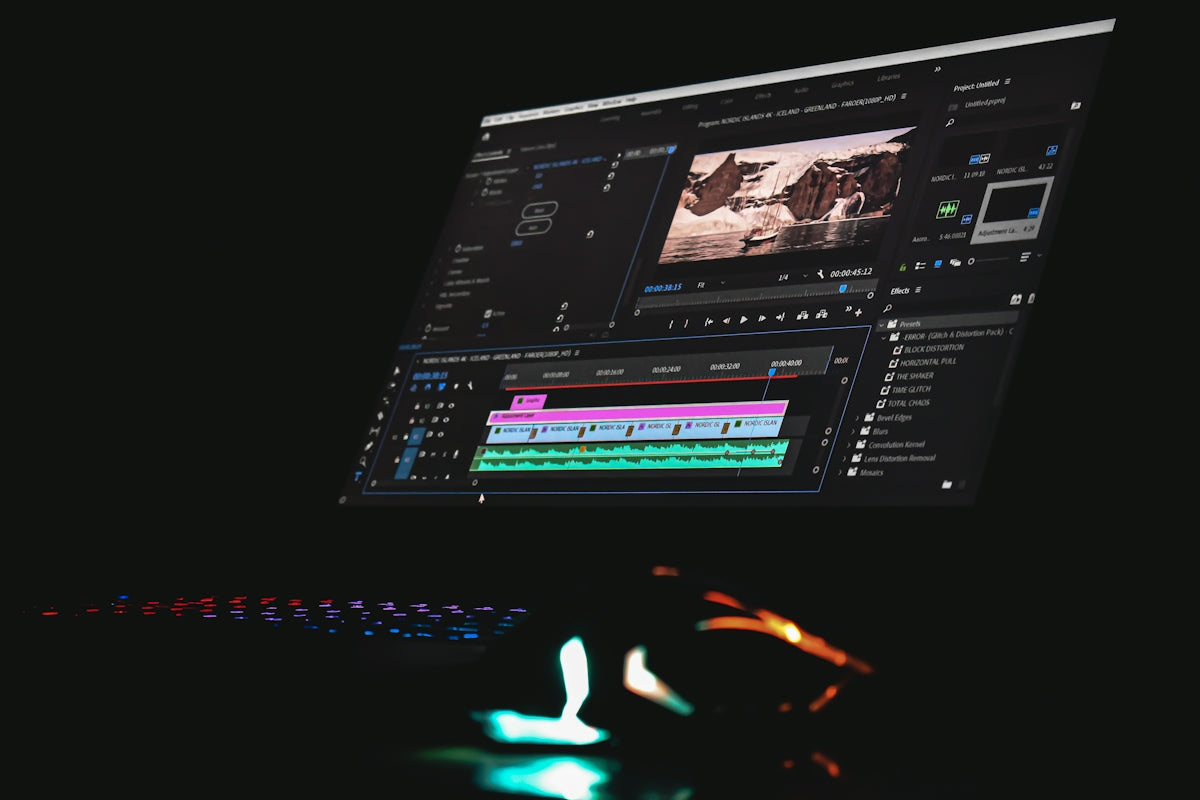
In today's fast-paced digital landscape, the need for captivating content has never been more pronounced. As content creators and marketers continue to explore different mediums, short-form video content has emerged as a powerful tool for engagement. But how can you make your short-form videos irresistibly engaging? This article will walk you through some essential short-form video editing tips to help spark creativity and leave a lasting impression.Table of ContentsTable of ContentsThe Power of AI in Video EditingUnderstanding AI Image PromptsUtilizing AI Video PromptsCrafting the Perfect Video with Tools and TemplatesExploiting Canva TemplatesImplementing Social Media Post TemplatesActionable Steps for Engaging Short-Form Video ContentFAQsConclusionWith the right mix, you can harness the power of tools like AI image prompts, Canva templates, and social media post templates to create content that stands out. Let's dive into actionable strategies that you can start using today!The Power of AI in Video EditingUnderstanding AI Image PromptsAI image prompts are digital instructions and ideas generated by artificial intelligence to kickstart your creativity in content production. These prompts can help you think outside the box and generate unique visual ideas quickly. By leveraging AI image prompts, you can create distinctive graphical elements that enhance your video content, ensuring it captivates your audience from the get-go.Real-World Application: Imagine starting with a blank canvas and instantly having AI generate images that are perfectly aligned with your brand's message. With AI Image & Video Prompt Guides – Creator Collection, you can start exploring AI-generated content that resonates with your target audience.Utilizing AI Video PromptsAI video prompts function similarly to image prompts but are designed specifically for video content creation. These prompts suggest ideas for scenes, story arcs, or mood boards, potentially solving creative blocks that you might encounter in the editing process.Tip: Read more about AI video prompts in our article Explore Trending AI Video Prompts for Small Businesses and discover their potential to elevate your business narratives.Crafting the Perfect Video with Tools and TemplatesExploiting Canva TemplatesTools like Canva have revolutionized content creation. Canva templates offer easy-to-use options that simplify the design process, allowing you to focus on storytelling. You can quickly customize pre-designed elements tailored to fit the theme of your short videos.Example: If you're launching a marketing campaign, use Canva templates to align every aspect of your video with your brand’s identity seamlessly. Learn more with our detailed guide Achieve Results with User-Friendly Canva Templates.Implementing Social Media Post TemplatesWith the growing reliance on social media for video content consumption, social media post templates become an invaluable resource. These templates ensure that your videos are perfectly formatted and optimized for each platform, enhancing visibility and engagement.Explore our article Create Winning Content with Social Media Post Templates for in-depth insights into making the most of these templates to drive engagement.Actionable Steps for Engaging Short-Form Video ContentDefine Your Purpose: Start with a clear message or call to action. Design your video to communicate this briskly, focusing on maintaining viewers’ attention from start to end.Storyboard Your Content: Create a simple storyboard that lays out the beginning, middle, and end of your video. This will help you ensure a coherent story or instructional flow.Leverage Engaging Graphics and Animation: Use graphics and animations to create dynamic elements that keep viewers' eyes glued to the screen. Consider exploring Stickman Animation Reels – Video Content Bundle for unique animation ideas.Optimize for Mobile Viewing: Most users consume video content on their mobile devices. Ensure your videos are visually striking and concise, optimized for small screens.Integrate AI Innovations: Don’t hesitate to incorporate AI tools to automate parts of your editing process. They save time and help maintain a consistent quality standard.FAQsQ1: What are some popular platforms for short-form videos?Platforms like TikTok, Instagram Reels, and YouTube Shorts are highly popular for short-form video content. These platforms favor quick, engaging video snippets that captivate users.Q2: How long should a short-form video ideally be?Aim for 15–60 seconds. The shorter, the better, as it ensures the viewer watches the entire video, increasing engagement metrics.Q3: What software can beginners use for short-form video editing?Beginner-friendly software includes Canva, Adobe Premiere Rush, InShot, and iMovie – these provide templates and tools for seamless editing.Q4: Do AI tools require significant technical knowledge?Many AI tools are designed with user-friendly interfaces to accommodate users with varying levels of technical expertise. Always opt for ones with extensive tutorials and guides.ConclusionEmbracing short-form video editing involves a strategic blend of creativity, technology, and artistry. With tools like AI prompts and templates, alongside a clear purpose and storyboard, you can craft engaging and impactful videos that resonate with your audience. As you explore these avenues, Fileflora offers innovative guides and collections to empower your creative journey. Discover how products like the AI Object Talking Reels – Video Content Bundle can disrupt traditional editing and help create compelling stories.Visit Fileflora to explore more ways to enhance your digital creativity.