
Achieve Results with User-Friendly Canva Templates
In today's fast-paced digital world, creating attractive and engaging visual content is essential for any business or individual looking to make a mark online. But how can you consistently achieve great results without a steep learning curve or time-consuming tasks? The answer lies in leveraging user-friendly Canva templates. These templates are game-changers in the realm of design and content creation, offering endless possibilities to elevate your online presence without needing a professional designer.Table of ContentsTable of ContentsWhy Choose Canva Templates?Getting Started with Canva TemplatesStep 1: Choose the Right TemplateStep 2: Customize to Fit Your BrandStep 3: Implement AI Image and Video PromptsReal-World Applications of Canva TemplatesPromoting Your Brand on Social MediaStreamline Your Design ProcessCreating Engaging Video ContentOvercoming Technical ChallengesFAQs1. What is the benefit of using Canva templates over professional design services?2. Can Canva templates be used for print?3. How do AI image prompts work in Canva?4. Are Canva templates suitable for all types of brands?ConclusionWhy Choose Canva Templates?Canva templates are pre-designed layouts that you can customize to fit your brand's unique identity. They're not just easy to use; they can revolutionize the way you create visuals for various platforms, including social media, websites, and promotional materials. Whether you're looking to explore trending AI image prompts, enter the world of short-form video editing, or simply streamline your content creation process, Canva templates have you covered.Internally, Fileflora offers a variety of resources to help you make the most of Canva templates, including the Editable Canva Templates – Design Resource Access Pack, which provides an extensive range of templates tailored to various needs.Getting Started with Canva TemplatesStep 1: Choose the Right TemplateTo make the most of Canva templates, start by selecting a template that aligns with your purpose and audience. Visit Fileflora's range of Canva templates to explore options for different types of content, such as social media post templates and AI video prompts.Step 2: Customize to Fit Your BrandOne of the significant benefits of Canva templates is their customization potential. You can alter colors, fonts, images, and other elements to ensure that your content reflects your brand identity. For inspiration on customizing Canva templates, you can read Fileflora's comprehensive guide on Unlock Creativity with Expert Canva Template Tips.Step 3: Implement AI Image and Video PromptsWith the integration of AI technology, Canva makes it possible to enhance the visual appeal of your content even further. Incorporating AI image prompts can add a sophisticated touch, while the availability of templates for short-form video editing is perfect for creating engaging video content. For more insights on how AI video prompts can benefit your strategy, check out Explore Trending AI Video Prompts for Small Businesses.Real-World Applications of Canva TemplatesPromoting Your Brand on Social MediaSocial media platforms are essential for modern marketing strategies. Canva's social media post templates make it easy to create professional, eye-catching posts that can capture your audience's attention. Fileflora's blog post on Create Winning Content with Social Media Post Templates offers practical tips for maximizing your social media reach.Streamline Your Design ProcessCanva templates allow you to quickly create and iterate on designs, perfect for teams or individuals with tight deadlines. By utilizing templates, you can maintain consistency in your branding while saving time and resources. Fileflora's n8n Workflow Automation Templates – Multi-Category Bundle can further assist in automating and optimizing your workflow processes, allowing for efficient integration of Canva templates into your daily operations.Creating Engaging Video ContentVideo content continues to grow in importance. Canva's capabilities in short-form video editing mean you can use templates to create dynamic and engaging videos without needing extensive video editing skills. For those looking for even more specialized video content, Fileflora offers resources like the Stickman Animation Reels – Video Content Bundle and Motivational Text Animation Reels – MP4 Video Bundle which provide creative and customizable video options.Overcoming Technical ChallengesWhile Canva is predominantly user-friendly, some technical understanding can enhance your experience:Compatibility: Ensure your device is compatible with Canva's platform requirements. Most modern web browsers support Canva.Access Guides: For those who prefer structured guidance, Fileflora provides PDF access guides for various products, which can be invaluable in navigating more complex template configurations.Integration Limits: Although Canva integrates with various digital tools, ensure that any external software or platforms you use can support Canva formats, especially when incorporating AI video prompts or more advanced editing features.FAQs1. What is the benefit of using Canva templates over professional design services?Using Canva templates can save time and money while providing flexibility in design. They are excellent for quick projects or when professional services are beyond budget constraints.2. Can Canva templates be used for print?Yes, Canva templates can be customized for print materials like flyers, business cards, and posters. Ensure your design is in the correct format and dimensions for printing.3. How do AI image prompts work in Canva?AI image prompts help generate creative ideas by suggesting visuals that match your content's context. This feature enhances the design process, making it more efficient and imaginative.4. Are Canva templates suitable for all types of brands?Yes, Canva templates offer a vast range of styles and customization options, making them versatile for nearly any brand or industry.ConclusionCanva templates are a powerful solution for anyone looking to create impactful visual content without the hassle of complex design software. With resources like those available at Fileflora—with links to the Editable Canva Templates—you can streamline your content creation process, ensure brand consistency, and achieve professional results effortlessly. For tailored solutions and expert insights, Fileflora stands as a trusted ally in your digital content journey.Visit Fileflora today to explore their full product range and elevate your brand's visual storytelling.

Explore Trending AI Video Prompts for Small Businesses
In today's rapidly evolving digital landscape, small businesses are looking for innovative ways to create engaging content. One of the latest trends that has sparked interest among entrepreneurs is the use of AI video prompts. What exactly are they, and how can they revolutionize content creation for small businesses? Read on to discover the power of AI video prompts and how they can be effectively utilized.Table of ContentsTable of ContentsUnderstanding AI Video PromptsThe Benefits of AI Video Prompts for Small BusinessesIntegrating AI Video Prompts with Your Marketing StrategyShort-Form Video Editing: A Crucial ElementUsing Canva TemplatesReal-World Application: A Step-by-Step ApproachFAQs About AI Video PromptsTechnical Considerations and LimitationsFAQsUnderstanding AI Video PromptsAI video prompts are essentially tools or instructions powered by artificial intelligence that help users generate video content. They offer a guided approach to video creation, allowing users to create compelling content with less effort and time investment. These prompts can include everything from script suggestions to visual ideas, enabling creators to focus on storytelling rather than technical details.The Benefits of AI Video Prompts for Small BusinessesEfficiency: AI video prompts streamline the video creation process, allowing small businesses to produce professional-quality videos with minimal resources.Creativity: By offering a myriad of creative suggestions, AI video prompts help businesses explore new and innovative ideas.Scalability: These tools make it easy for businesses to scale their video marketing efforts without needing to hire large teams.Cost-Effective: Utilizing AI prompts reduces the cost associated with traditional video production.For small businesses wanting to delve into AI video prompts, AI Image & Video Prompt Guides – Creator Collection offers comprehensive guides to get started.Integrating AI Video Prompts with Your Marketing StrategyShort-Form Video Editing: A Crucial ElementShort-form video content is a powerful marketing tool, thanks to platforms like TikTok and Instagram Reels. By integrating AI video prompts with short-form video editing, businesses can produce attention-grabbing content quickly. For those new to video editing, our Beginner's Guide to Short-Form Video Editing Success is a must-read.Using Canva TemplatesCanva provides a plethora of templates that can be enhanced with AI video prompts to create visually stunning social media content. Check out our article on Unlock Creativity with Expert Canva Template Tips to maximize the potential of Canva in your strategy.Real-World Application: A Step-by-Step ApproachDefine Your Goals: What do you want to achieve with your video content? Understanding your objectives will help guide the creation process.Choose the Right Platform: Different platforms have different requirements and audience demographics. Select the platform that best fits your target audience.Utilize AI Video Prompts: Begin by choosing appropriate prompts from the AI Image & Video Prompt Guides to jumpstart your creativity.Edit for Impact: Use Social Media Post Templates – Multi-Niche Design Library to craft social media posts that complement your video content.Test and Iterate: Publish your video content and use analytics to understand performance, then refine your approach based on audience feedback.FAQs About AI Video Prompts1. What are AI video prompts?AI video prompts are AI-generated suggestions meant to inspire and guide video content creation.2. How do AI video prompts aid in content creation?They provide structured guidance that saves time and enhances creativity, allowing for quick production of high-quality videos.3. Where can I find resources for AI video prompts?The AI Image & Video Prompt Guides on Fileflora offers extensive resources for beginners.4. Do I need technical skills to use AI video prompts?No, many tools using AI video prompts are user-friendly and designed for those without extensive technical skills.Technical Considerations and LimitationsAI video prompts, while incredibly useful, do have limitations. They may not always perfectly align with a brand's tone or message, requiring some customization. It's also crucial to ensure that the AI tools you are using are compatible with other software platforms in your workflow.Fileflora offers various solutions to help enhance your video content strategy. The n8n Workflow Automation Templates – Multi-Category Bundle can integrate and automate your processes, making it easier to manage and produce content efficiently.In conclusion, exploring AI video prompts can significantly benefit small businesses looking to adopt a more dynamic approach to content creation. For more insights and tools to aid in your marketing strategy, visit Fileflora.FAQsWhat are AI video prompts and how can they benefit my small business?AI video prompts are suggestions or ideas generated by artificial intelligence to help create engaging video content. For small businesses, these prompts can streamline the video creation process, provide creative inspiration, and enhance marketing strategies, allowing you to connect more effectively with your target audience.How can I use AI video prompts to improve my social media presence?By utilizing AI video prompts, you can generate fresh and relevant content ideas tailored to your audience's interests. You can create short videos or reels that address common questions, showcase products, or share behind-the-scenes footage, ultimately increasing engagement and visibility on social media platforms.Are there specific industries that benefit more from AI video prompts?While businesses in any industry can benefit from AI video prompts, those in retail, hospitality, health and wellness, and education may find particularly valuable prompts due to their visual nature and the need for engaging content to attract and retain customers.How do I ensure the AI video prompts align with my brand's voice and style?To maintain consistency in your branding, you can guide the AI by providing information about your brand's voice, values, and target audience. Additionally, review and refine the generated prompts to ensure they fit your desired tone and style before producing the videos.Can AI video prompts adapt to current trends or events?Yes, many AI tools can analyze current market trends, social media activity, and popular culture to generate video prompts that are timely and relevant. This adaptability helps your business stay up-to-date and engage effectively with evolving consumer interests.What tools or platforms can I use to access AI video prompts?Various AI tools and platforms are available that specialize in generating video content ideas, such as video marketing software, AI content generators, or even social media management tools. Researching and testing a few options will help you find the one that best suits your needs.Do I need advanced technical skills to use AI video prompts effectively?No, most AI tools are designed to be user-friendly and accessible. Basic familiarity with video editing software or social media platforms is usually sufficient, and many of these tools offer tutorials or customer support to assist users in getting started.How often should I create videos with the help of AI prompts?The frequency of video creation can depend on your overall marketing strategy and available resources. However, consistency is key; many small businesses find success by sharing new video content weekly or bi-weekly to keep their audience engaged and to maximize reach.What types of videos can I create using AI prompts?AI video prompts can inspire a variety of content types, including product demonstrations, customer testimonials, educational tutorials, behind-the-scenes insights, event recaps, or promotional videos. Mixing different video styles can further enhance audience engagement.
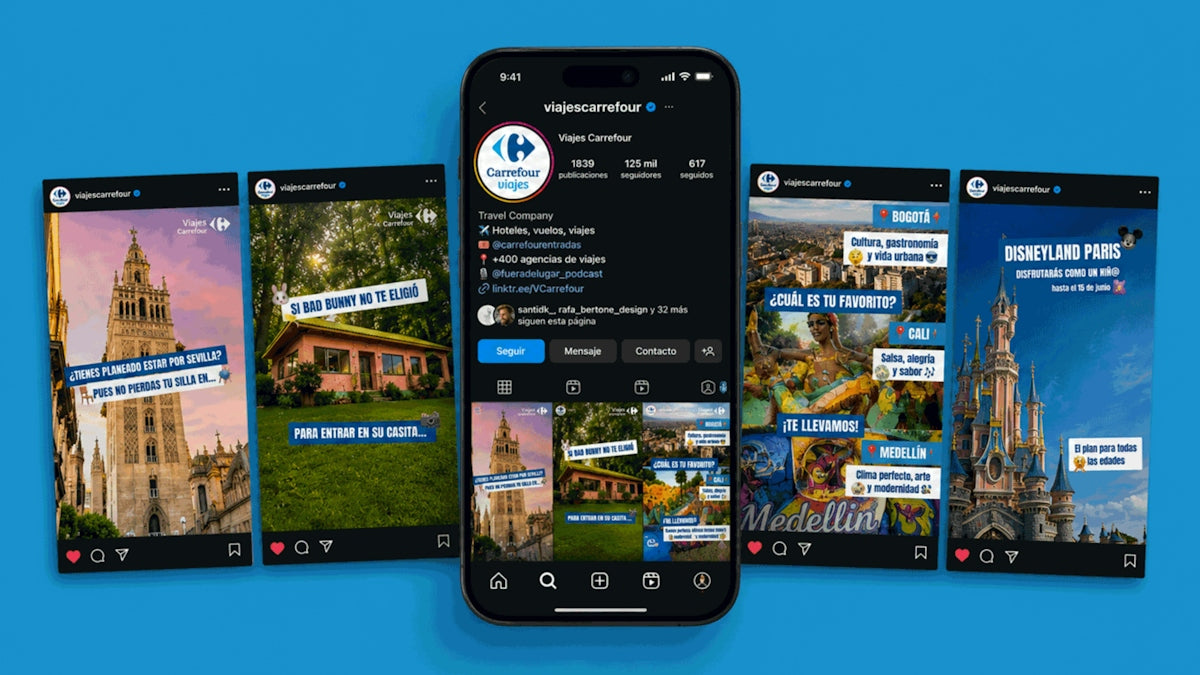
Create Winning Content with Social Media Post Templates
In today's digital world, creating engaging social media content is paramount for businesses striving to enhance their online presence. One effective solution is using social media post templates. But how do these tools actually help you craft winning posts, and what do you need to know to get started? In this article, we'll explore the ways to create compelling content using social media post templates, focusing on practical tools like AI image prompts, short-form video editing, and more. We'll also detail resources available on Fileflora to streamline your content creation efforts.Table of ContentsTable of ContentsUnderstanding Social Media Post TemplatesBenefits of Using Social Media Post TemplatesKey Components to Enhance Your Social Media PostsAI Image PromptsShort-Form Video EditingCanva TemplatesPractical Steps to Create Winning Social Media ContentReal-World Applications and LimitationsFAQsWhat is a social media post template?Can AI image prompts improve my content's visual appeal?How important is short-form video editing for online engagement?Are the templates on Fileflora customizable?ConclusionUnderstanding Social Media Post TemplatesSocial media post templates are pre-designed layouts that simplify the content creation process. They provide a foundation for your posts, allowing you to customize with your brand's images, text, and color schemes. This not only ensures your posts are visually appealing but also consistent with your brand identity.Benefits of Using Social Media Post TemplatesSaves Time: Templates eliminate the need to start from scratch, speeding up the design process significantly.Professional Designs: Templates are crafted by professionals, ensuring your content maintains a high quality.Consistency: Helps in maintaining a uniform look across all posts, reinforcing brand image.Key Components to Enhance Your Social Media PostsAI Image PromptsAI image prompts assist in generating creative visuals based on your input. By feeding a concept into an AI tool, you can quickly obtain visually stunning images that align with your content goals. This makes your posts stand out and captivate your audience immediately.To learn more about utilizing AI image prompts, check the article Master AI Image Prompts for Stunning Visual Content.Short-Form Video EditingShort-form videos are booming on platforms like Instagram Reels and TikTok. They hold the power to engage audiences effectively due to their brief and impactful nature. Mastering short-form video editing is crucial for creating shareable, attention-grabbing content.Consider reading the Beginner's Guide to Short-Form Video Editing Success for strategies on creating compelling videos.Canva TemplatesCanva templates offer a user-friendly solution for those who may not be savvy with design software. By using editable Canva templates, you can effortlessly customize your posts to fit your brand's aesthetics. Canva's intuitive platform allows you to adjust elements like fonts, images, and layouts with ease.For more insights into using Canva templates effectively, explore the article Unlock Creativity with Expert Canva Template Tips.Practical Steps to Create Winning Social Media ContentIdentify Your Goals: Understand what you want to achieve with your social media posts. Whether it's increasing engagement, driving traffic to your website, or building brand awareness, having a clear goal is crucial.Select Appropriate Templates: Use platforms like Fileflora where you can find Social Media Post Templates – Multi-Niche Design Library. These templates cater to various niches and are readily customizable.Incorporate AI Tools: Utilize tools offering AI video prompts to create dynamic visual content. This can elevate the storytelling aspect of your posts.Customize with Canva: Leverage Editable Canva Templates – Design Resource Access Pack for a personalized touch to your posts while maintaining design efficacy.Test and Analyze: Once your social media posts are live, track their performance. Use analytics tools to understand what works best and iterate accordingly.Real-World Applications and LimitationsWhile templates and AI tools are immensely beneficial, it's essential to apply them judiciously. Over-reliance on pre-made designs may stifle unique creativity, and AI-generated content might occasionally not align perfectly with your vision. Keep optimizing and experimenting to overcome these limitations.FAQsWhat is a social media post template?A social media post template is a pre-designed layout used to create consistent and visually appealing posts quickly and efficiently.Can AI image prompts improve my content's visual appeal?Yes, AI image prompts can produce stunning visuals aligned with your ideas, enhancing the appeal and engagement of your content.How important is short-form video editing for online engagement?Extremely important. Short-form videos capture audience attention effectively and are highly shareable, driving further engagement.Are the templates on Fileflora customizable?Absolutely. Templates like those in the Social Media Post Templates – Multi-Niche Design Library are designed to be easily customized according to your needs.ConclusionCreating winning content for social media doesn't have to be daunting. By leveraging the right tools and templates, you can craft engaging and consistent posts that resonate with your audience. Fileflora offers a wide array of resources, from templates to strategic guides. Explore products like the Social Media Post Templates – Multi-Niche Design Library and enhance your content creation strategy. For more information on this topic, visit Fileflora.Using these strategies and resources, you can efficiently create impactful social media content that elevates your brand's online presence.

Unlock Creativity with Expert Canva Template Tips
In today's fast-paced digital world, creativity is key to capturing attention and engaging audiences. Whether you're a seasoned designer or a small business owner looking to enhance your online presence, Canva templates offer a powerful solution to streamline your creative process. So, how can you unlock the full potential of Canva templates to boost your creativity and impact? This post unveils expert tips and techniques for utilizing Canva templates effectively.Table of ContentsTable of ContentsUnderstanding the Power of Canva TemplatesLeveraging AI Image Prompts for Creative InspirationGetting Started with Canva Templates1. Choose the Right Template2. Customize to Reflect Your Brand3. Utilize Canva's Editing Tools4. Integrate AI Video PromptsBest Practices for Social Media Post TemplatesLimitations to ConsiderHelpful Resources at FilefloraFAQsConclusion and Final ThoughtsUnderstanding the Power of Canva TemplatesCanva has revolutionized graphic design by making it accessible to everyone, regardless of their design experience. With Canva templates, you can create stunning graphics, compelling social media posts, engaging short-form videos, and much more. The user-friendly interface and vast selection of templates allow you to customize designs to fit your brand's identity seamlessly.Leveraging AI Image Prompts for Creative InspirationAI technology is not only transforming industries but also how we design. AI image prompts can spark creativity, offering thousands of idea-generating visuals to choose from. By integrating AI prompts into your design process, you initiate the creative flow necessary for producing innovative content.For more in-depth understanding, be sure to check Master AI Image Prompts for Stunning Visual Content.Getting Started with Canva TemplatesHere are actionable steps to ensure you make the most of Canva templates:1. Choose the Right TemplateSelecting a template that aligns with your design goals is the first step to success. When browsing Canva's library, consider the type of content you are creating and your target audience. Do you need a social media post template or a template for short-form video editing? Choose accordingly to save time and effort.2. Customize to Reflect Your BrandOnce you've chosen a template, begin personalizing it with your brand colors, fonts, and imagery. This step is crucial for maintaining brand consistency and identity across different platforms.3. Utilize Canva's Editing ToolsCanva offers a range of editing tools that allow you to tweak and enhance your templates. From adjusting layouts to adding effects, these tools provide you with creative control over your designs.4. Integrate AI Video PromptsAI video prompts are ideal for crafting engaging short-form videos quickly. These prompts guide you in creating compelling narratives or stories that captivate your audience's attention. Explore our Beginner's Guide to Short-Form Video Editing Success for a comprehensive understanding.Best Practices for Social Media Post TemplatesSocial media engagement is crucial for any brand. Here are some best practices for using Canva templates to craft eye-catching social media posts:Consistency is Key: Ensure all your posts have a uniform look and feel; this makes your brand easily recognizable.Use High-Quality Images: Canva allows you to upload your own images or choose from thousands of stock photos. Ensure your images are crisp and relevant.Effective Use of Text: Keep your text concise and impactful. Use calls to action (CTAs) to encourage audience interaction.Strategic Placement of Elements: Be mindful of how elements are laid out on your design – balance is crucial.Limitations to ConsiderWhile Canva templates are versatile, they have limitations related to customization and complex design needs. For intricate designs, you might require advanced tools or a graphic designer's expertise.Helpful Resources at FilefloraFileflora offers a plethora of resources to elevate your design projects:AI Image & Video Prompt Guides – Creator Collection: Unlock innovative ways to leverage AI prompts in your designs.Digital Products Mega Bundle – Canva Templates & Planners: Access a variety of templates and planners that will streamline your creative process.By exploring these collections, you'll have everything needed to jumpstart your creativity and bring your vision to life.FAQs1. How do I find the right template for my business needs?Start by identifying the purpose of your design. Search for keywords matching your objective, such as "social media" or "presentation." Filter options to find templates best suited to your needs.2. Can I use Canva templates for commercial purposes?Yes, Canva's terms allow for commercial use, provided you adhere to their licensing agreements. Be sure to review Canva’s license terms before final usage.3. Do I need a Canva Pro account to access templates?While Canva Pro offers additional features, many templates are available for free users. A Pro account gives you access to more exclusive templates and assets.4. Are Canva templates customizable?Absolutely! You can modify colors, fonts, images, and layouts to suit your brand's style and preferences.Conclusion and Final ThoughtsUnlocking creativity with Canva templates is about leveraging the right tools and resources to transform your ideas into captivating visuals. By understanding how to effectively use AI image prompts and video templates, coupled with actionable tips, you can refine your design strategy to make a lasting impact.For the tools to create impressive designs and enhance your marketing strategy, browse through Fileflora’s curated collections. Visit Fileflora to explore more digital products and resources tailored to your needs.With the ever-evolving field of digital content creation, staying informed and equipped is crucial. Utilize these insights and Fileflora's diverse array of resources to remain ahead in your creative endeavors.